



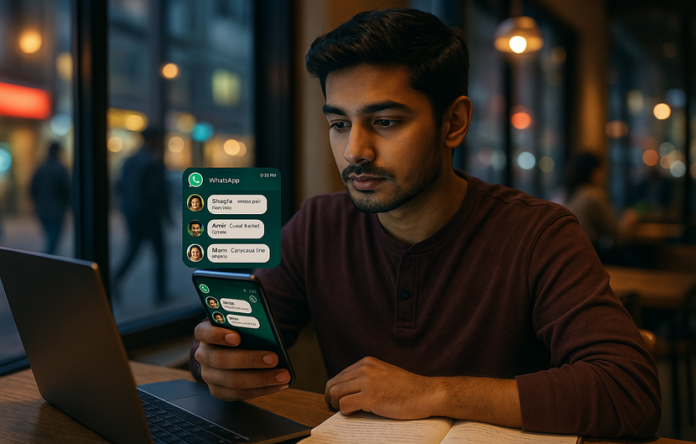

WhatsApp Notification Bubbles: Android Multitasking Boost
Pakistanis are buzzing about the new WhatsApp notification bubbles on Android. The feature lets you preview messages and reply without opening the app, making multitasking easier for students, workers, and families across cities like Karachi, Lahore, and Islamabad. Tech experts say it reduces context switching and helps busy people stay connected without breaking focus.
What are notification bubbles?
Notification bubbles are small floating icons that appear from WhatsApp as you use other apps. Tap a bubble to view previews or send a quick reply. They keep you connected without interrupting your current task. They also appear on top of other apps and can be dismissed easily.
How to enable on Android
First, ensure WhatsApp is updated to the latest version. On many devices, go to Settings > Apps & notifications > Bubbles (or Chat bubbles) and enable them for WhatsApp. You can customize which chats show as bubbles and how alerts behave. If your device runs a heavily customized OS, you might see a different path; consult vendor support for exact steps.
Why it matters for Pakistan
In Pakistan’s fast-paced digital life, this feature helps students in universities, freelancers, and families stay on top of chats while studying or working. It also benefits small businesses that rely on quick customer replies, all without cluttering the screen. The option supports Urdu and English chat previews, making daily use smoother for diverse users.
Tips for best use
Pin key conversations, craft smart quick replies, and set silent hours to avoid distraction. Remember to update the app and OS for a smooth experience, and adjust notification sound settings to balance alerts with focus. Use the feature while browsing social apps, but avoid sharing sensitive information via quick replies.
Bottom line: WhatsApp notification bubbles on Android can significantly improve daily communication in Pakistan, helping you stay connected and productive without breaking your flow. This aligns with WhatsApp’s ongoing effort to improve accessibility and user experience here.